
MANTRA Chain
How to Connect Wallets to Testnet
This guide walks you through connecting MetaMask and Keplr wallets to the MANTRA Dukong testnet.
MetaMask Setup
Note
MetaMask is currently the recommended wallet as it can correctly render balances for both EVM and MANTRA Chain (Dukong) MANTRA.
To install MetaMask, refer to the official installation guide.
Add the MANTRA Dukong Network
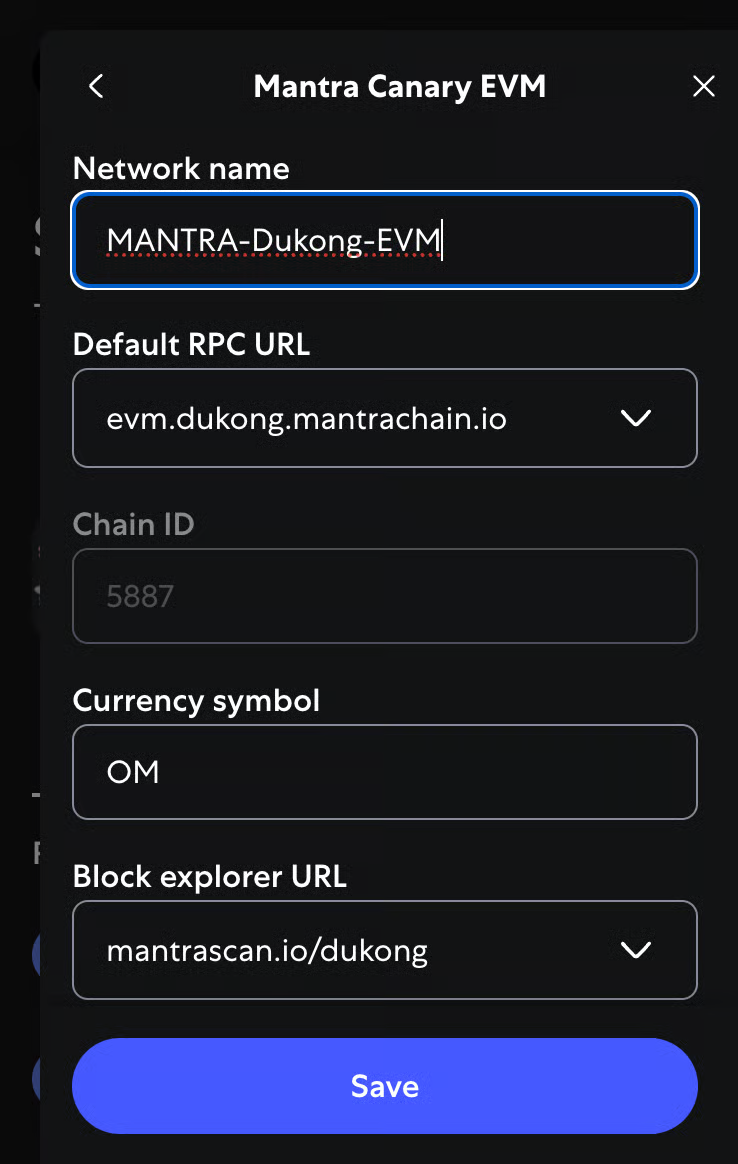
Open MetaMask and select the network dropdown (top-right corner) to add a custom network with the following details:
| Parameter | Value |
|---|---|
| Network Name | MANTRA-Dukong |
| RPC URL | https://evm.dukong.mantrachain.io |
| Chain ID (EVM) | 5887 |
| Currency Symbol | MANTRA |
| Block Explorer URL | https://mantrascan.io/dukong |
Verify Your Connection
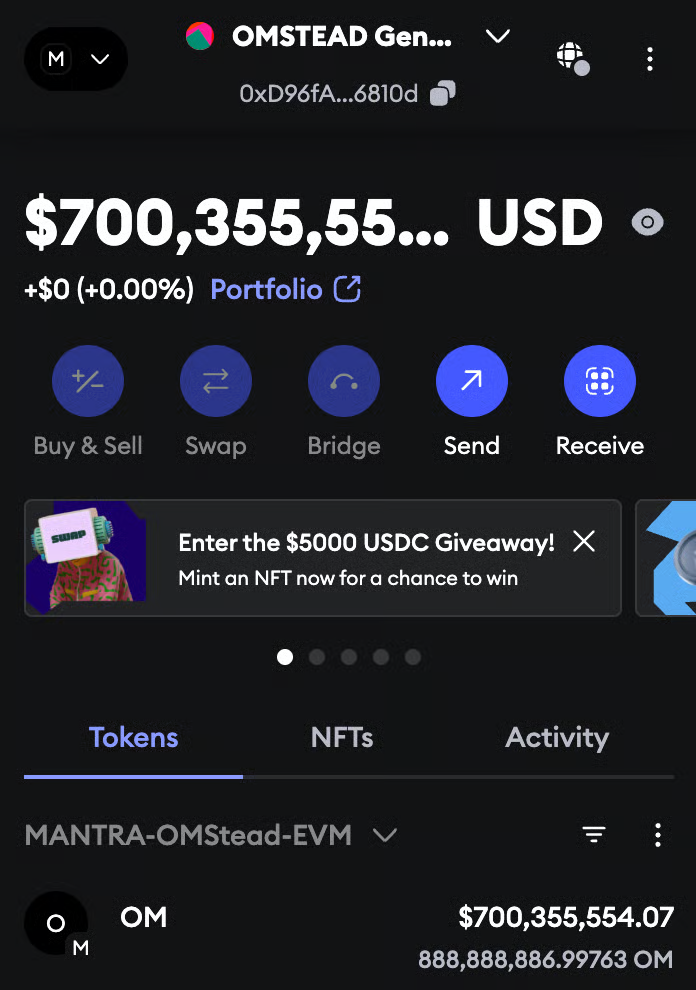
Switch to the MANTRA-Dukong network and you should see your native MANTRA token balance.
Keplr Setup
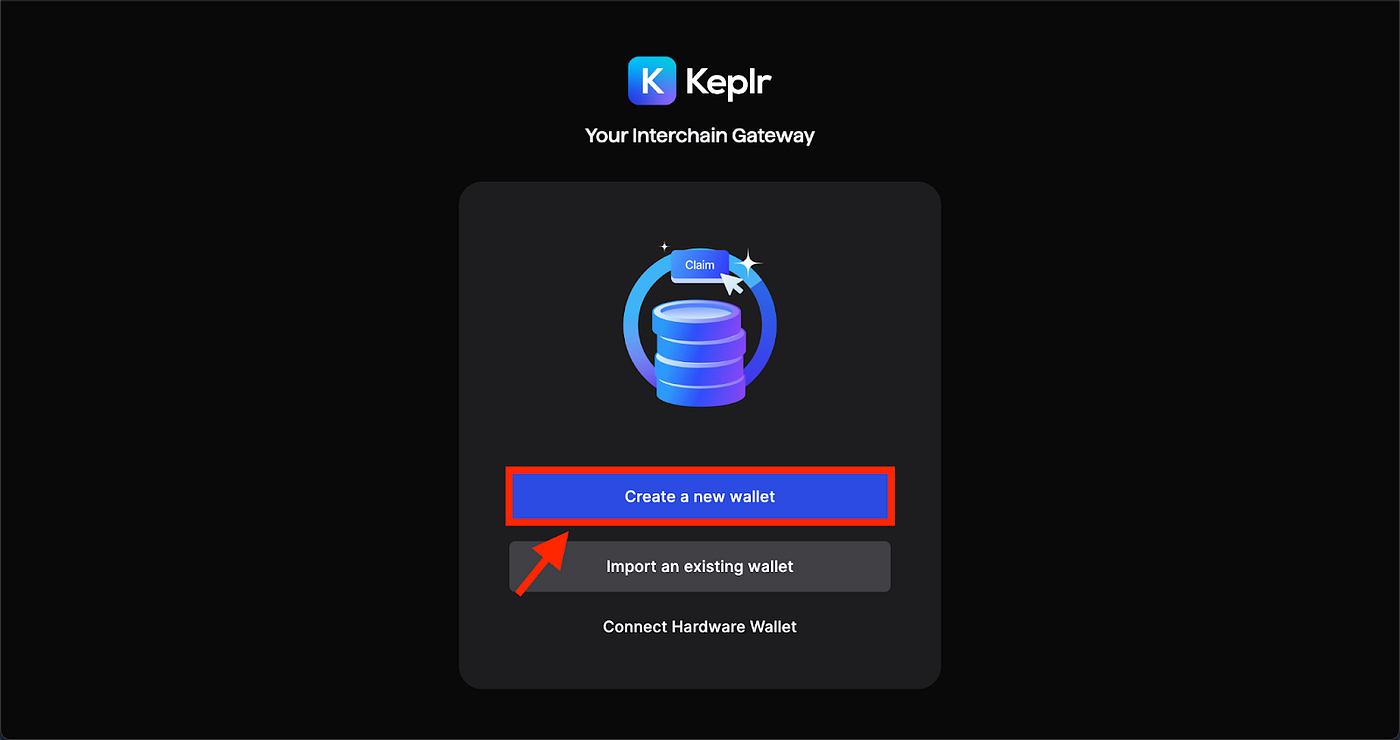
Install Keplr Wallet
Navigate to https://keplr.app/ and install the Keplr Wallet extension compatible with your browser. Keplr Wallet is essential for managing your crypto assets on the Cosmos ecosystem.
Set Up Keplr Wallet
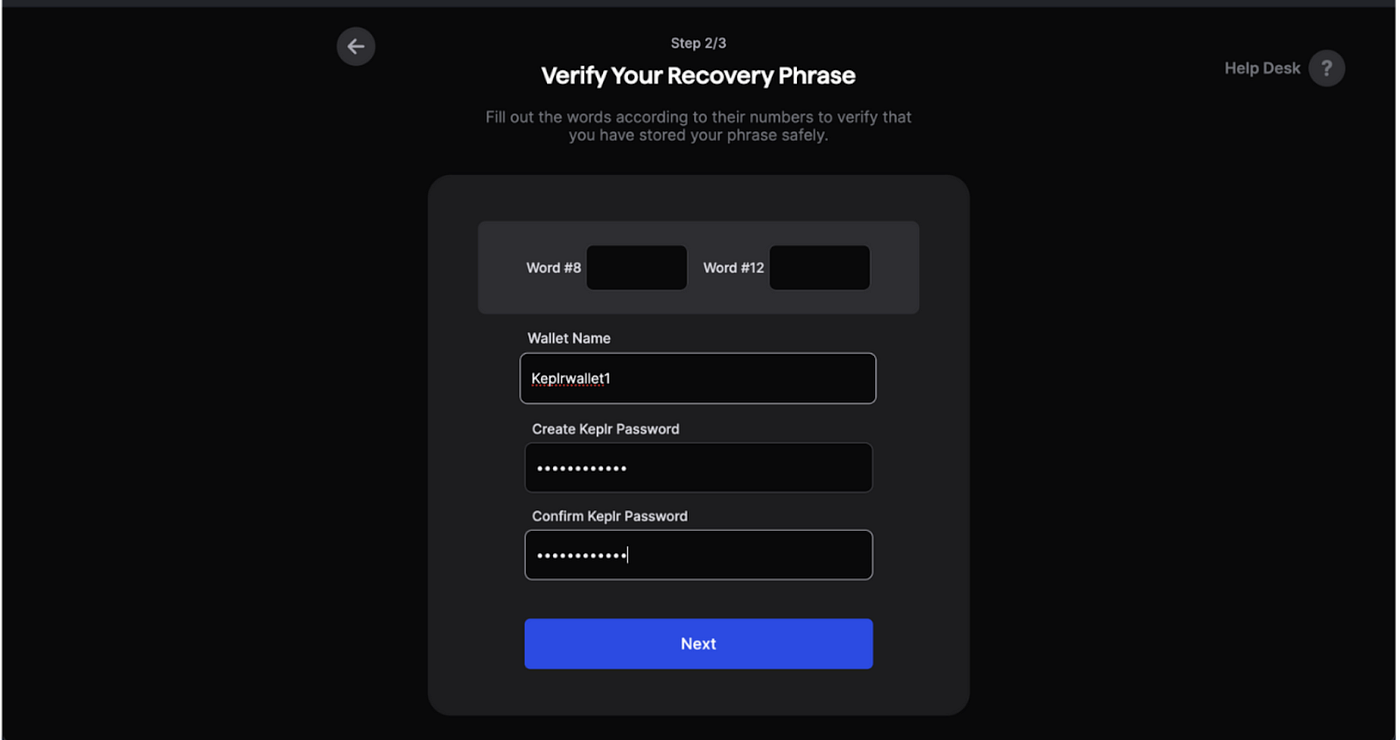
Add a wallet name, set up a password, and secure your seed phrase or recovery phrase.
Warning
Never share your recovery phrase with anyone.
Add MANTRA Chain to Keplr Wallet
Integrate the MANTRA Dukong testnet into your Keplr Wallet:
- Click the menu button in Keplr
- Search for
mantra dukong EVM - Select MANTRA Dukong EVM
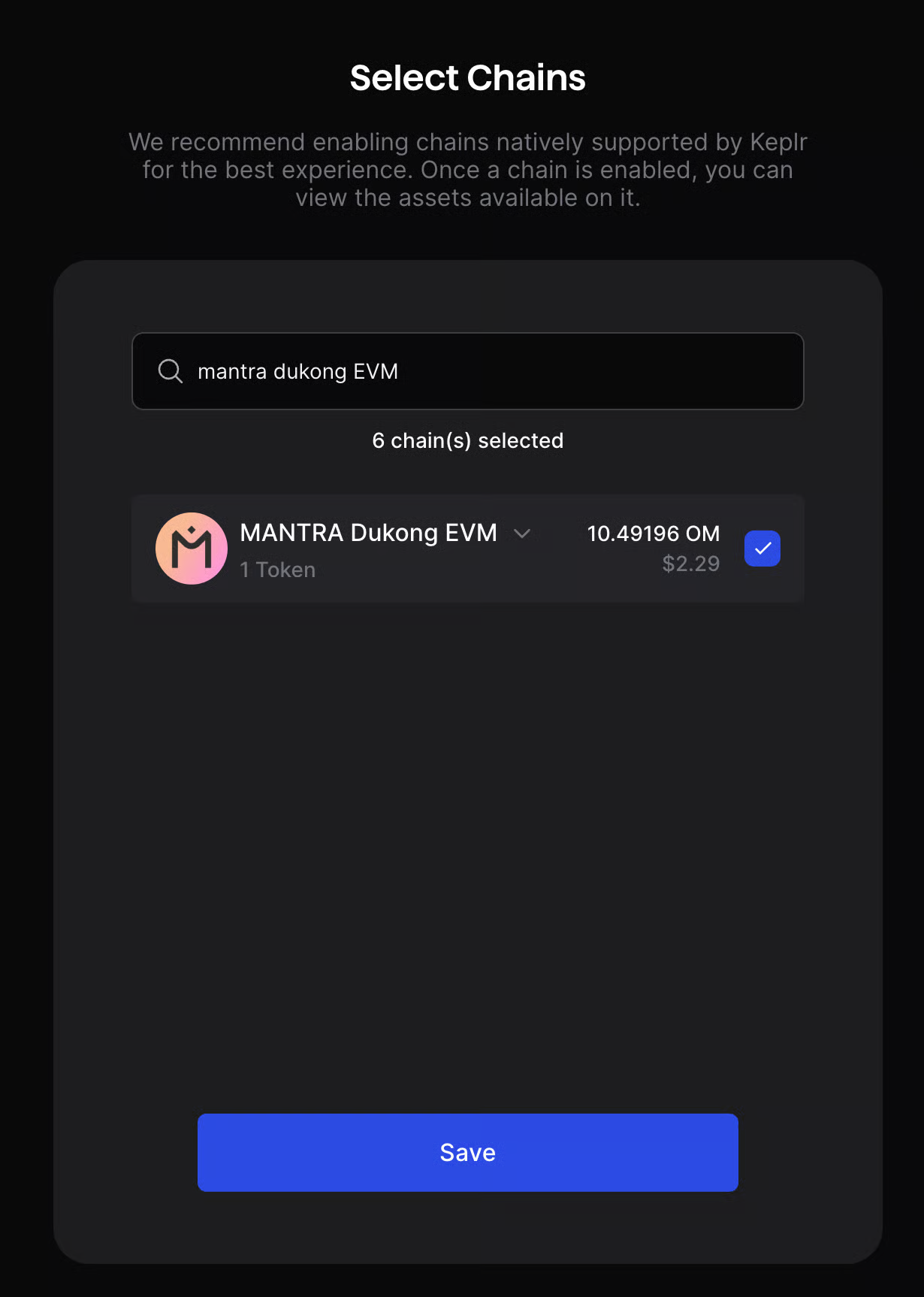
Click Save to confirm the integration.